JPG to WebP Converter Online
WebP quality affects file size and visual detail. Transparency is retained when supported by the source image and browser.
Images Selected
0 imagesImages are processed in your browser. No conversion-server upload is required. Animated GIFs are converted as a still image, not as animation.
Our JPG to WebP converter online lets you convert JPG and JPEG images into WebP format quickly without installing software. Upload your images, convert them in a few clicks, and download the converted files while maintaining good image quality.
With support for bulk JPG files to WebP conversion, you can process multiple images at once, saving time and simplifying your workflow. This free online image converter requires no signup, making it easy to convert and download your WebP images directly from your browser.
What Is a JPG to WebP Converter Online?
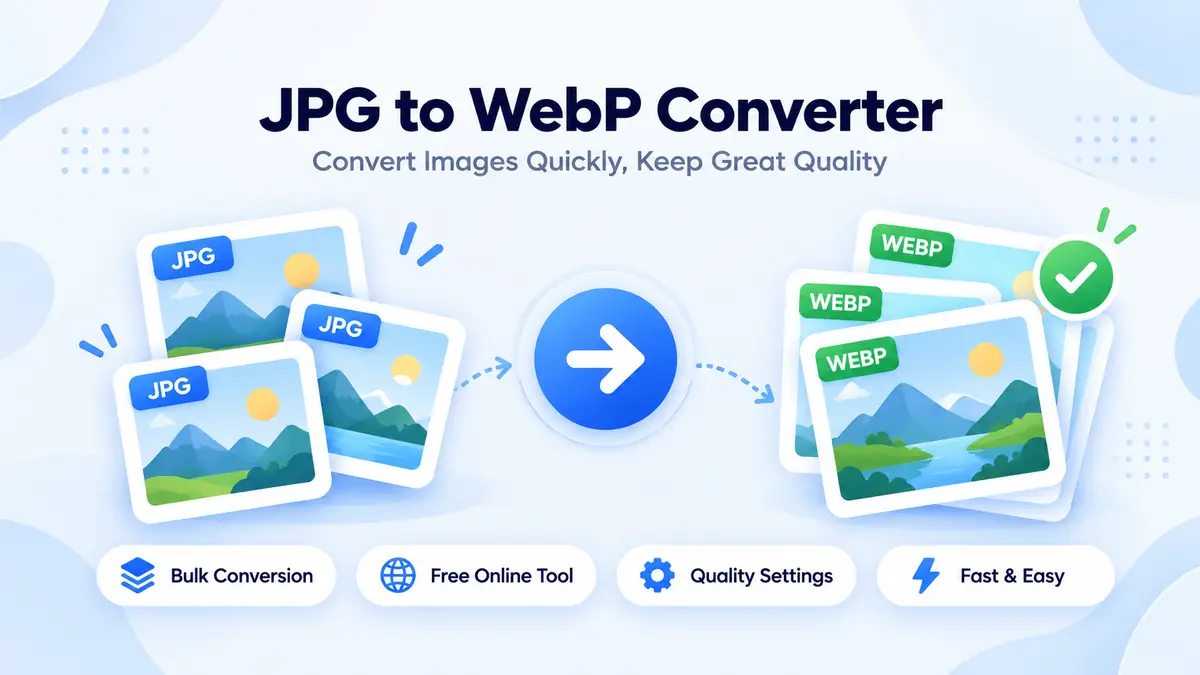
Our JPG to WebP converter online makes it easy to convert JPG and JPEG images into WebP format in just a few clicks. This free online image converter works directly in your browser, so there is no need to install software or plugins. Simply upload your images, convert them to WebP, and download the files while maintaining good image quality.
Why Use Our JPG to WebP Converter?
Our JPEG to WebP image converter makes it easy to convert a single picture or multiple images at once. If you have a large collection of photos, the bulk conversion feature lets you process several files together, saving time and effort. With our bulk JPG files to WebP online, you can prepare images for websites, blogs, online stores, and other digital projects without converting each file individually.
The tool supports batch image conversion directly in your browser, requires no signup or software installation, and lets you download your converted WebP images as soon as processing is complete.
- Free and Easy to Use: Convert images online without paying or creating an account
- Batch Image Conversion: Convert multiple JPG or JPEG pictures in one go
- Simple Format Change: Change JPG and JPEG images into WebP format with a few clicks
- Good Image Quality: Choose suitable quality settings to balance image appearance and file size
- No Software Installation: Use the converter from your browser on a computer, tablet, or smartphone
- Useful for Websites: WebP images can help reduce image file sizes, depending on the original picture and conversion settings
- Quick Downloads: Download your converted WebP images once the conversion is finished
Whether you want to convert a single photo or process a whole folder of images, our free online tool makes the job simple. Upload your JPG files, choose your preferred quality settings if available, convert them to WebP, and download the results. It is a convenient way to prepare images for your website without complicated editing software.
How to Convert JPG to WebP Online?
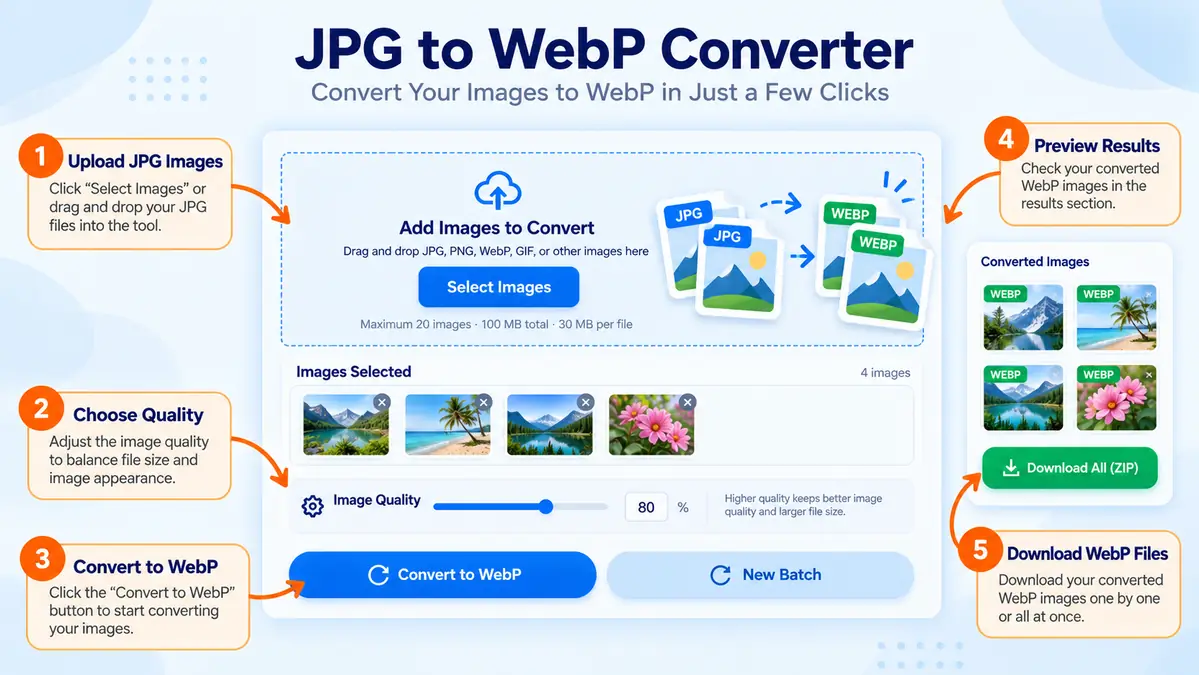
Using our JPG to WebP converter online is simple, even if you have never converted an image before. You can merge JPG files to WebP in a few easy steps without installing software or plugins. This WebP online free tool also works as a JPEG to WebP converter, making it easy to process your JPEG to WebP online directly from your browser.
- Upload Your JPG Images: Select one or more JPG or JPEG files from your device. Our WebP image converter makes it easy to prepare your pictures for conversion
- Choose Your Settings: Adjust the available image quality settings to balance picture quality and file size. This helps you decide how you want your JPG image to WebP conversion to look
- Convert Your Images: Click the convert button to convert JPG images to WebP format. The online WebP converter processes your selected files in your browser
- Download Your WebP Files: When the conversion finishes, download your converted images and use them on your website, blog, or other project
Convert Multiple JPG Images at Once
If you have many pictures, you do not need to convert them one by one. Our bulk JPG to WebP converter helps make batch JPG files to WebP conversion easier by processing several images together. This multiple WebP conversion option is useful when preparing product photos, blog images, or website graphics.
Our free image converter makes it easy to change supported JPG and JPEG images into WebP format without creating an account. Upload your files, select your settings, and download the results when they are ready. Keep in mind that the final file size and image quality depend on the original pictures and your conversion settings.
Tips for Better Results When You Convert JPG to WebP
Follow these simple tips to get the best results from our WebP converter online:
- Choose Suitable Quality Settings — Adjust the WebP quality setting, if available, to balance image appearance and file size when you convert JPG to WebP.
- Upload Clear Images — Start with good-quality JPG or JPEG files to get better-looking results from your JPEG to WebP converter.
- Convert Multiple Images Together — Use the bulk JPG to WebP converter to process several pictures at once instead of converting each file separately.
- Check the File Size — Compare the original JPG files with the converted WebP images to see how much the file size changes.
- Keep the Original Files — Save a copy of your original images in case you need them again or want to try different conversion settings.
- Use WebP for Websites — WebP images can help reduce file sizes, which may support faster website loading, depending on the image and conversion settings.
- Preview Before Downloading — Check your converted images to make sure they look right before using them on your website or sharing them.
- Organize Your Downloads — Give your files clear names so you can find your converted WebP images easily.
With our JPG to WebP online free tool, you can change image formats, process multiple pictures, and download the converted files without installing extra software. Whether you need to convert JPEG to WebP online for a blog, product page, or personal project, our online WebP converter makes the process straightforward.
Convert JPG to WebP Online Free — Start Now
Make image conversion easier with our free image converter. Upload your JPG or JPEG pictures, choose your available settings, and let our JPG to WebP image converter handle the conversion. You can convert JPG images to WebP format and download the results when processing is complete.
Upload your JPG images. Convert them to WebP. Download your converted files.
Benefits of Using a JPG to WebP Converter Online
A JPG to WebP converter online helps you change image formats without complicated editing software. Our tool makes it convenient to convert JPG files to WebP, whether you have one photo or many images to process. WebP can offer smaller file sizes than JPG for some images, making it a useful option for websites and other digital projects.
- Save Time: Use batch WebP conversion to process several images in one go.
- Convert Multiple Files: Complete multiple JPG images to WebP conversion without handling each image separately.
- Change Image Formats Easily: Turn supported JPG and JPEG files into WebP with a few clicks.
- Help Reduce File Size: WebP may create smaller files, depending on the original image and quality settings.
- Prepare Website Images: Convert photos for blogs, online stores, and website pages.
- No Software Installation: Use the online WebP converter directly in your browser.
- Simple and Convenient: Our free image converter lets you convert images without a signup process.
- Use Different Devices: Access the tool from a supported browser on your computer, tablet, or smartphone.
Whether you need to convert one JPG image to WebP or use a bulk JPG to WebP converter for a larger collection, the process is simple. Upload your images, review the available settings, and download your converted files. The final file size and visual quality depend on the original images and conversion settings.
FAQs
Is It Free to Convert JPG to WebP Online?
Yes, our JPG to WebP online free tool lets you convert JPG images to WebP without paying a fee or installing additional software. You can use this free image converter directly in your browser without creating an account.
How Do I Convert JPG to WebP Online?
To convert JPG to WebP, upload your JPG image, choose your preferred quality settings if available, and click the convert button. Once processing is complete, download your WebP image using our JPG to WebP converter online.
Can I Convert JPEG to WebP Online?
Yes, our JPEG to WebP converter helps you convert JPEG to WebP online in just a few clicks. Upload your supported JPEG files, start the conversion, and download the resulting WebP images.
Can I Convert Multiple JPG Images to WebP at Once?
Yes, our bulk JPG to WebP converter lets you process several images together. This batch JPG to WebP conversion feature saves time when you need to convert multiple photos for a website, blog, or online store.
Does Your JPG to WebP Image Converter Support Batch Conversion?
Yes, you can use our JPG to WebP image converter for multiple JPG to WebP conversion when working with several pictures. Upload your supported files and convert them together instead of processing every image individually.
Will Converting JPG to WebP Reduce Image Quality?
Image quality depends on the original picture and the conversion settings. WebP can maintain good visual quality at a smaller file size, but some quality loss may occur with lossy compression. Choose suitable settings and preview the result before downloading.
Can I Convert JPG Images to WebP Format Without Installing Software?
Yes, you can convert JPG images to WebP format directly in your browser. Our online WebP converter does not require a separate application or plugin, making it convenient for everyday image conversion.
What Is the Difference Between JPG and WebP?
JPG is a widely used image format for photographs, while WebP supports both lossy and lossless compression. WebP can produce smaller files for similar visual quality in many cases, which makes it useful for website images.
Can I Use This Online WebP Converter on My Mobile Phone?
Yes, you can use the JPG to WebP converter online on a supported smartphone, tablet, laptop, or desktop computer. Open the tool in your browser, select your images, convert them, and download the results.
Are My Images Uploaded to a Server During Conversion?
If the converter uses browser-based processing, your images can be converted directly on your device without being sent to a conversion server. This can help protect privacy. Check the tool’s actual processing behavior and privacy policy before making this claim on your website.
Can I Convert JPG Images to WebP for My Website?
Yes, converting a JPG image to WebP can help prepare images for websites, blogs, product pages, and other online projects. WebP may reduce file sizes, which can help improve page loading when the converted images are appropriately optimized.
Do I Need to Create an Account to Use the Free JPG to WebP Converter?
No signup is required if your tool is available without registration. Upload your images, convert them using the free image converter, and download the results when processing is finished.