
Your selected PDFs are processed in your browser by this tool and are not uploaded to our server. Keep your original documents as backups.
Merge PDF files online for free and combine multiple PDF files into one document, arrange their order, and download your merged PDF in seconds. If you want to combine PDF files online for free without downloading software or paying for a subscription. Our easy-to-use tool helps you Combine PDF File documents directly in your browser in just a few clicks. Use our Online PDF merger Free tool to join multiple PDF documents into one organized file, arrange your files in the correct order, and download your combined document quickly.
With our Online PDF Converter, you can Merge Multiple PDF into Single File without installing additional software. Easily Combine Multiple PDF Files into One PDF for work, study, business, or personal use. Simply select your PDF documents, arrange their order, and start merging to create one convenient file. Our browser-based Merge PDF tool works on desktop and mobile devices, helping you organize documents for easier storage, sharing, and printing. It is a practical way to Combine PDF File documents while keeping their original pages in sequence.
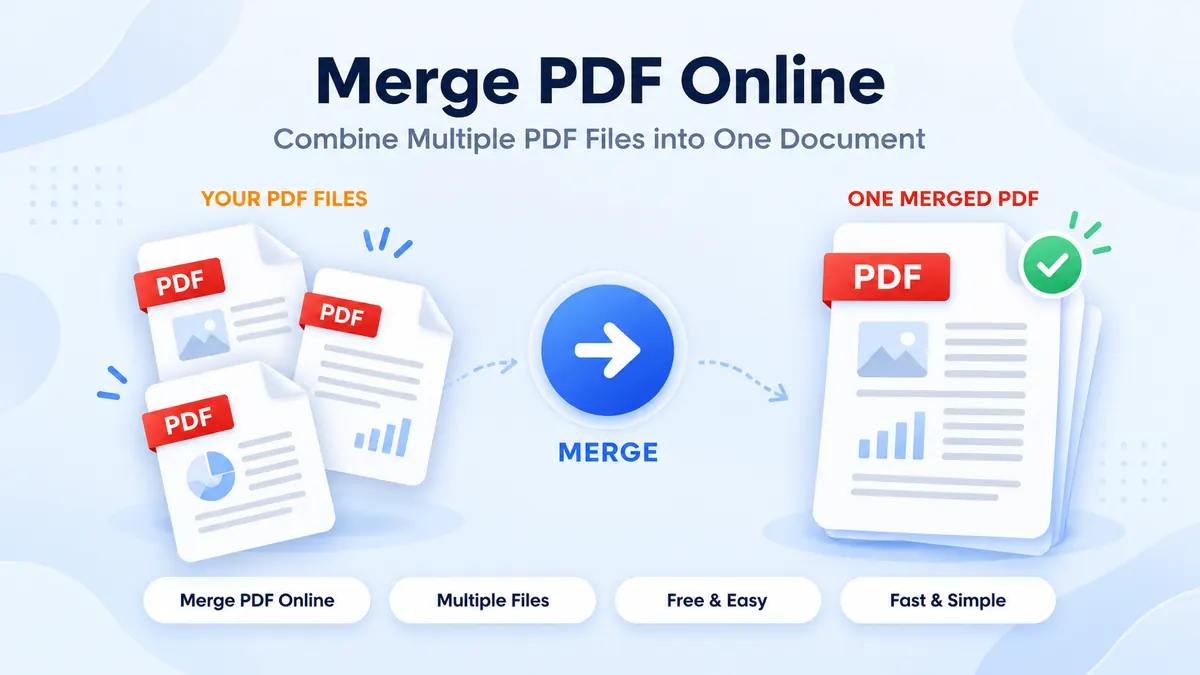
Why Use Our Merge PDF Tool?
Our online PDF merger tool makes it easy to bring multiple documents together into one organized file without installing software. With combine PDF Online Free, you can select several PDF documents, arrange them in your preferred order, and create a single PDF in just a few clicks. Whether you need to organize business reports, combine study materials, or prepare documents for sharing, our tool helps simplify the process.
When you need to Combine PDF File documents, you can use our browser-based tool to combine PDF Files Online from your computer, tablet, or mobile device. It also makes it convenient to Merge Multiple PDF into Single File for easier storage, printing, and sharing. Instead of managing several separate documents, you can Combine Multiple PDF Files into One PDF and keep your pages together in one place.
As an easy-to-use Online PDF Converter, our tool is designed for users who want a straightforward way to organize their documents. Upload your PDF files, arrange their order, and start merging. Whether you are handling personal paperwork, office documents, assignments, or scanned records, you can Combine PDF File documents quickly and create one convenient PDF. Use our Merge PDF tool to organize your files online without adding another software installation to your workflow.
What Does It Mean to Merge PDF Files?
Merge multiple PDF files online means combining two or more PDF documents into one complete file. Instead of keeping several separate documents, you can use our PDF merger Online Free tool to bring them together in a single PDF that is easier to organize, store, share, and print.
When you combine PDF Files Online, you can arrange your documents in the order you want before combining them. This is useful when you need to put assignments, business reports, invoices, scanned documents, or important records into one organized file. Our tool makes it simple to Combine Multiple PDF Files into One PDF without installing additional software.
Whether you want to Merge Multiple PDF into Single File for work, education, or personal use, the process is straightforward. Upload your documents, arrange their sequence, and merge them into one file. Our browser-based Online PDF Converter helps you merge PDF File documents conveniently, so you can manage your paperwork with fewer separate files.
How to Merge PDF Files Online?
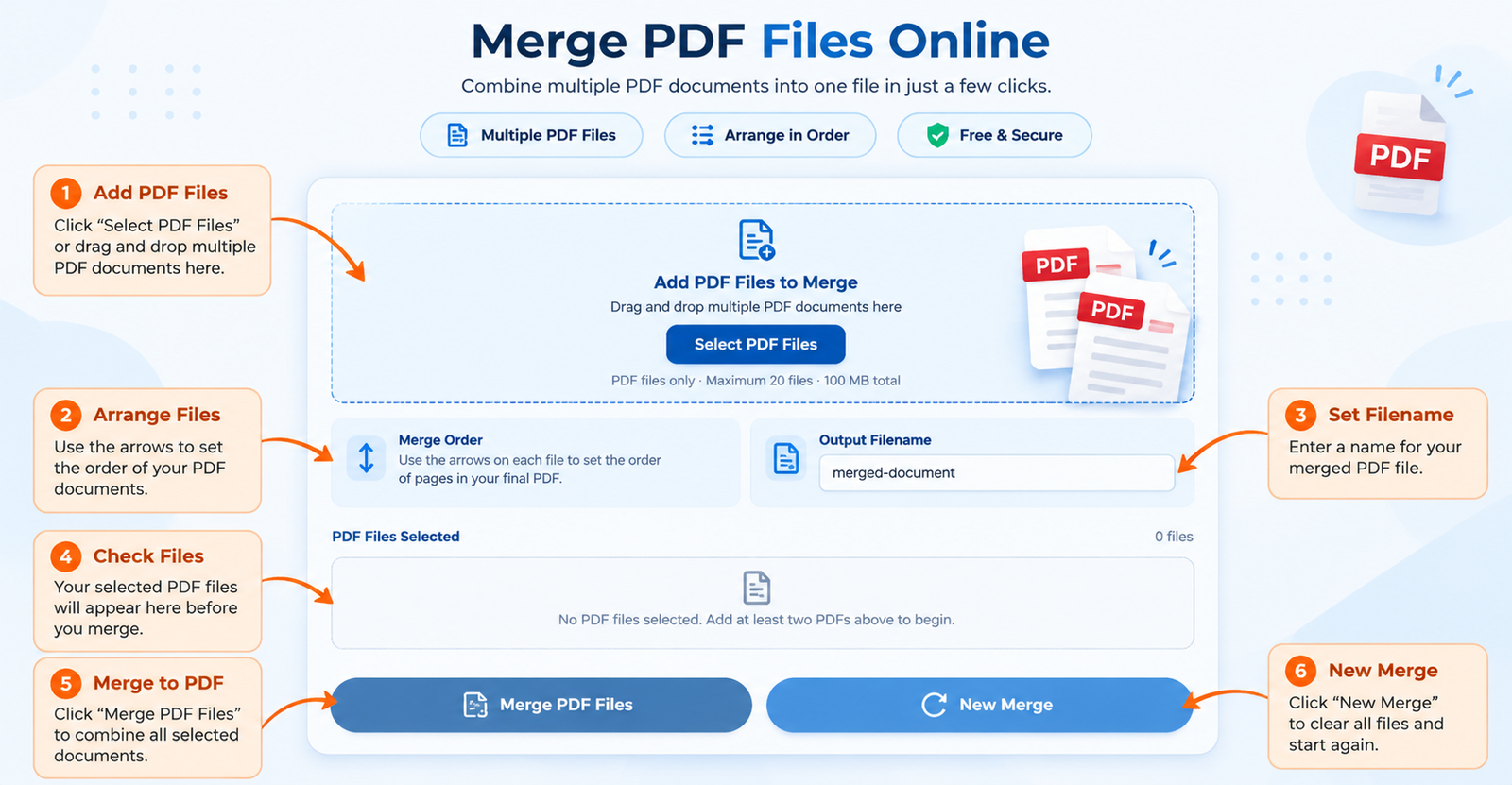
You can combine PDF files online in just a few simple steps. Our free tool helps you combine multiple documents into one organized PDF without installing desktop software. Whether you are preparing assignments, business reports, or personal records, follow these steps to create your merged file.
1. Upload Your PDF Files
Select the PDF documents you want to combine from your device. You can add multiple files to get started with Merge multiple PDF Online Free. Make sure you select all the documents you need before continuing.
2. Arrange Your PDF Documents
After uploading, arrange your files in the order you want them to appear in the final document. Organizing the sequence helps you Merge Multiple PDF into Single File while keeping your documents in the correct order.
3. Combine Multiple PDF Files into One PDF
Click the merge button to begin combining your selected documents. The tool processes your files in your browser and helps you Combine Multiple PDF Files into One PDF without needing a separate Online PDF Converter application.
4. Download Your Merged PDF
Once the process is complete, download your combined document to your device. You can now share, store, or print the result as one file instead of managing separate PDFs. Use our tool to Merge PDF Files Online or Combine PDF File documents whenever you need a convenient way to organize your paperwork.
PDF vs Other File Formats — What’s the Difference?
PDF stands for Portable Document Format. It is designed to preserve a document’s layout, text, images, and formatting across different devices and operating systems. Unlike image formats such as JPG and PNG, a PDF can contain multiple pages, making it useful for reports, forms, scanned documents, assignments, and business records.
When you Merge multiple PDF files into single PDF using our online tool, you can combine supported PDF documents into one organized file without converting each document into an image first. Our combine PDF Online Free tool helps you bring multiple documents together while maintaining their page order, making it easier to share, store, and print your files.
Tips for Better Results When You Merge PDF Online
Follow these practical tips to create a well-organized PDF:
- Arrange Files in the Correct Order — Organize your documents before merging so the final PDF follows your preferred sequence
- Use Clear, Readable Documents — Check scanned pages and document quality before combining your files
- Review Each PDF Before Uploading — Make sure you have selected the correct documents and removed unnecessary files
- Check Page Orientation — Review portrait and landscape pages to ensure the combined document is easy to read
- Consider the Final File Size — Combining several large PDFs can create a larger document. Compress the files beforehand if you need a smaller PDF
- Keep Your Documents Organized — Use meaningful filenames and arrange reports, receipts, assignments, or scanned records logically
With our Merge PDF Files Online tool, you can Merge Multiple PDF into Single File in a few simple steps. Upload your documents, arrange their order, and create one convenient file. You can Combine Multiple PDF Files into One PDF for work, study, business, or personal use without installing additional software.
Merge PDF Online Free — Start Now
Stop managing multiple PDF documents separately. Use our free Merge PDF tool to Combine PDF File documents quickly and conveniently. Upload your files, arrange their sequence, and download your merged document when it is ready.
Upload your PDFs. Arrange your files. Download your merged document.
Frequently Asked Questions
Is It Free to Merge PDF Files Online?
Yes, our Merge PDF Online Free tool lets you combine multiple PDF documents into one file without paying for a subscription. You can upload your files, arrange their order, and download your merged PDF using the available tool features.
Do I Need an Account to Merge PDF Documents?
No account is required if you can access the tool directly. Open our Merge PDF tool, upload your documents, arrange their order, and combine them into one PDF.
How Many PDF Files Can I Merge into One Document?
You can select multiple PDF files and Merge Multiple PDF into Single File. The number and size of files you can process may depend on the tool’s limits, your device’s available memory, and browser performance.
Will Merging PDF Files Reduce Their Quality?
Merging PDF files generally combines their existing pages without converting them into images. However, the final result can depend on the source documents and how they were created. Check your merged document before sharing or printing it.
Can I Combine PDF Files of Different Sizes?
Yes, PDF documents with different page sizes can generally be combined into one file. The merged document may contain a mixture of page sizes and orientations, depending on the original files.
Can I Merge Multiple PDF Files on My Phone?
Yes, you can use our Merge PDF Files Online tool on a supported smartphone, tablet, or desktop computer. Open the page in your browser, select your PDF documents, arrange their order, and download the combined file.
Can I Change the Order of PDF Files Before Merging?
Yes, you can arrange your selected documents before merging them. Check the sequence carefully so the pages appear in your preferred order when you Combine Multiple PDF Files into One PDF.
Can I Merge Password-Protected PDF Files?
Password-protected or encrypted PDFs may require unlocking before they can be merged. If a document cannot be processed, check its permissions and ensure you have authorization to access and modify it.
Are My PDF Files Uploaded or Stored Online?
The provided tool is designed to process PDF files in your browser, so files are not intended to be uploaded to a server for merging. Your experience may depend on the actual implementation of the website. Review the site’s privacy policy before processing sensitive documents.